AI study tools have moved from novelty to normal in a couple of school years. Used well, ai study tools turn passive rereading into active practice: they quiz you, summarise dense chapters, and explain a stubborn concept three different ways until one lands.
Used badly, the same tools quietly do the learning for you, and the gap only shows up in the exam hall. The difference is rarely the tool itself. It is whether the student stays in charge of the thinking while the software handles the repetitive parts.
This guide describes the main categories of AI study tool, what each is genuinely good at, and how to use them without crossing academic-integrity lines. Features and prices change constantly, so tools are described by category rather than by version-specific claims.
What Counts as an AI Study Tool?
The label covers any software that uses artificial intelligence to help you learn material, rather than simply store it. That includes chatbots that answer questions, apps that generate flashcards from your notes, and platforms that build practice tests from a syllabus.
Some tools are built specifically for studying. Others are general-purpose assistants that students have adapted to revision, homework help, and essay planning. The category matters less than the job you give it.
A useful test is simple. If the tool helps you practise, organise, or understand, it is a study tool. If it produces the final answer you hand in, it has stopped being one and become a shortcut.
Flashcard Generators: Turning Notes Into Review Decks
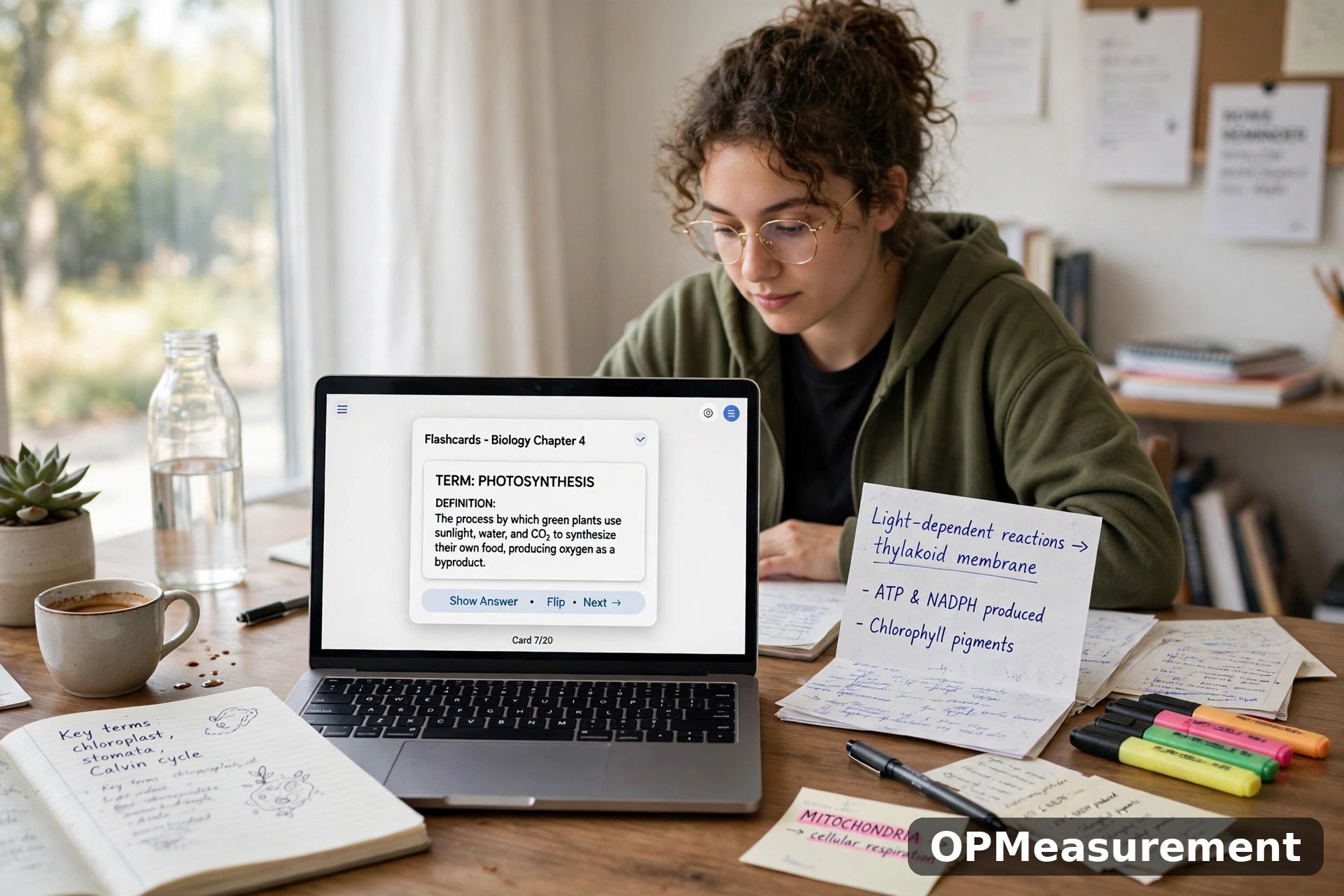
Flashcard generators take your lecture notes, slides, or textbook extracts and convert them into question-and-answer cards. The good ones let you edit every card, because an auto-generated card is only a draft until you have checked it against the source.
The real value is not the generation but the repetition. Spaced repetition, reviewing cards at widening intervals just before you would forget them, is one of the best-supported techniques in learning research, and AI generation simply removes the slow typing stage.
how spaced repetition strengthens memory
Keep decks small and specific. A deck built from one lecture, reviewed for ten minutes daily, beats a thousand-card deck generated the night before the exam and never opened again.
Summarizers: Making Long Readings Manageable
Summarizer tools condense long articles, chapters, and papers into shorter versions. They are most useful as a preview: read the summary first to learn the structure and key terms, then read the original with that map in your head.
They are also handy after reading, as a check. Summarise a chapter yourself in a paragraph, then compare your version with the tool’s. Anything important in theirs but missing from yours is a gap worth revisiting.
Never let a summary replace the reading in subjects where detail is the point. Case law, proofs, experimental methods, and primary sources all lose exactly the content an examiner will test when they are compressed.
Quiz Builders and Practice Question Generators
Quiz builders generate practice questions from your material: multiple choice, short answer, or true and false. Testing yourself is far more effective than rereading, and these tools remove the friction of writing your own questions.
Quality varies, so verify before you trust. Generated questions can be trivial, ambiguous, or occasionally wrong, and marking yourself against a flawed answer key teaches errors with confidence.
A better workflow is to generate questions, answer them closed-book, then check every answer against your notes or textbook rather than the tool’s key. The checking step is where much of the learning happens.
Writing Feedback Without Writing for You
Writing tools can flag unclear sentences, weak structure, and repetitive phrasing in your own draft. Used that way, they work like a tireless proofreading partner, and the final text remains unmistakably yours.
The line is crossed when the tool generates paragraphs you submit as your own writing. Most schools and universities treat submitting AI-generated text as your own work as an integrity violation, whatever the tool’s marketing suggests.
A safe pattern is to ask for feedback, not text. Prompts like “where does this argument lose clarity” or “which paragraph repeats itself” keep you as the author while still using the tool’s strengths.
Explaining Hard Concepts in Plain Language
General AI assistants are often at their best as patient explainers. You can ask for an analogy, a worked example at a simpler level, or the same explanation pitched for a beginner and then for an advanced student.
Worked examples deserve care. Ask the tool to solve a similar problem, not the exact one set for homework, then apply the method yourself to the real question. You learn the method and keep the submitted work honest.
Treat every explanation as a draft claim, not a fact. AI assistants can state wrong answers fluently, especially in maths, dates, quotations, and anything niche, so confirm important points against your course materials.
how to verify information an AI gives you
Fitting AI Tools Into a Study Routine
Tools work when they slot into a routine instead of replacing one. A workable pattern is to study the material first, then use AI to generate practice, then review your mistakes without the tool open.
Time-box the help. If you have spent ten minutes prompting a chatbot about one concept, switching to the textbook, a video, or a classmate is usually faster and sticks better.
Keep a simple rule for every session: the last pass is always yours. Close the tools, write what you know from memory, and let that honest snapshot decide what tomorrow’s session covers.
The Honest Part: Academic Integrity
Rules differ between schools and universities, but the shared principle is consistent. Work you submit must be your own, and any help you use must be allowed by the rules of that course, exam, or assignment.
Knowing Your Course Rules
Some courses welcome AI for brainstorming and revision but ban it in assessed writing. Others ban it entirely in certain modules. The course handbook, not the internet, is the authority, and “everyone does it” is not a defence when a case is brought.
Detection is only part of the risk. The deeper cost is educational: outsourced practice produces no learning, and courses build on earlier material, so gaps compound until they surface somewhere that really counts.
official guidance on students and AI
When in doubt, disclose. Telling a teacher you used a tool to generate practice questions, and asking whether that is acceptable, protects you far better than hoping nobody asks.
Limits and Mistakes to Watch For
The most common mistake is pasting in a question and copying out the answer. It feels like studying because the material passes in front of your eyes, but recognition is not recall, and exams test recall.
Accuracy is the second trap. AI tools invent references, misquote sources, and do confident arithmetic errors. Anything you plan to cite, submit, or build an argument on needs checking against a real source.
Privacy is the third. Avoid uploading personal data, other students’ work, or unpublished research to tools whose data policies you have not read. Assume anything you paste may be stored, and study accordingly.
Frequently Asked Questions
Are AI study tools cheating?
Not inherently. Generating practice questions, flashcards, and summaries from your own notes is legitimate revision in most settings. Submitting AI-generated work as your own, or using AI where your course bans it, is cheating.
Can teachers detect AI-generated work?
Sometimes, and policies increasingly combine software checks with process evidence like drafts and version history. The safer approach is not to gamble: keep your submitted work genuinely yours and follow your course rules.
What is the single most effective way to use these tools?
Self-testing. Turn your notes into flashcards and practice questions, answer them from memory, and check the results against your course materials. It is the use with the strongest learning evidence behind it.
Do AI study tools cost money?
Many offer free tiers with limits and paid tiers with more capacity, but pricing and features change frequently. Start with free options and your institution’s provided tools before paying for anything.
Conclusion
AI study tools are best understood as practice machines. They generate the questions, cards, and summaries that make active study easier to start, while the learning itself still happens in your head, closed-book and unaided.
Pick one or two categories, use them to test yourself honestly, verify what they tell you, and keep submitted work your own. That combination gets the genuine benefit of the tools without the risks that come with them.