In optical measurement, accuracy often comes down to details that are easy to overlook. A small difference in an edge, a slight variation in surface texture, or an unclear image can affect how an object is inspected and how measurement results are interpreted. Whether working in manufacturing, laboratory testing, engineering, or quality assurance, professionals need reliable visual information to make informed decisions.
As measurement technologies continue to evolve, digital images have become increasingly valuable for documenting inspections, analyzing components, and communicating technical findings. However, collecting an image is only one part of the process. Choosing the right file format, preserving important details, and preparing images for analysis can also influence the quality of a technical workflow. Tools such as a JPG to PNG converter can help professionals prepare images for applications where a particular file format is required, making image management a useful consideration in modern measurement practices.
Why Image Quality Matters in Optical Measurement
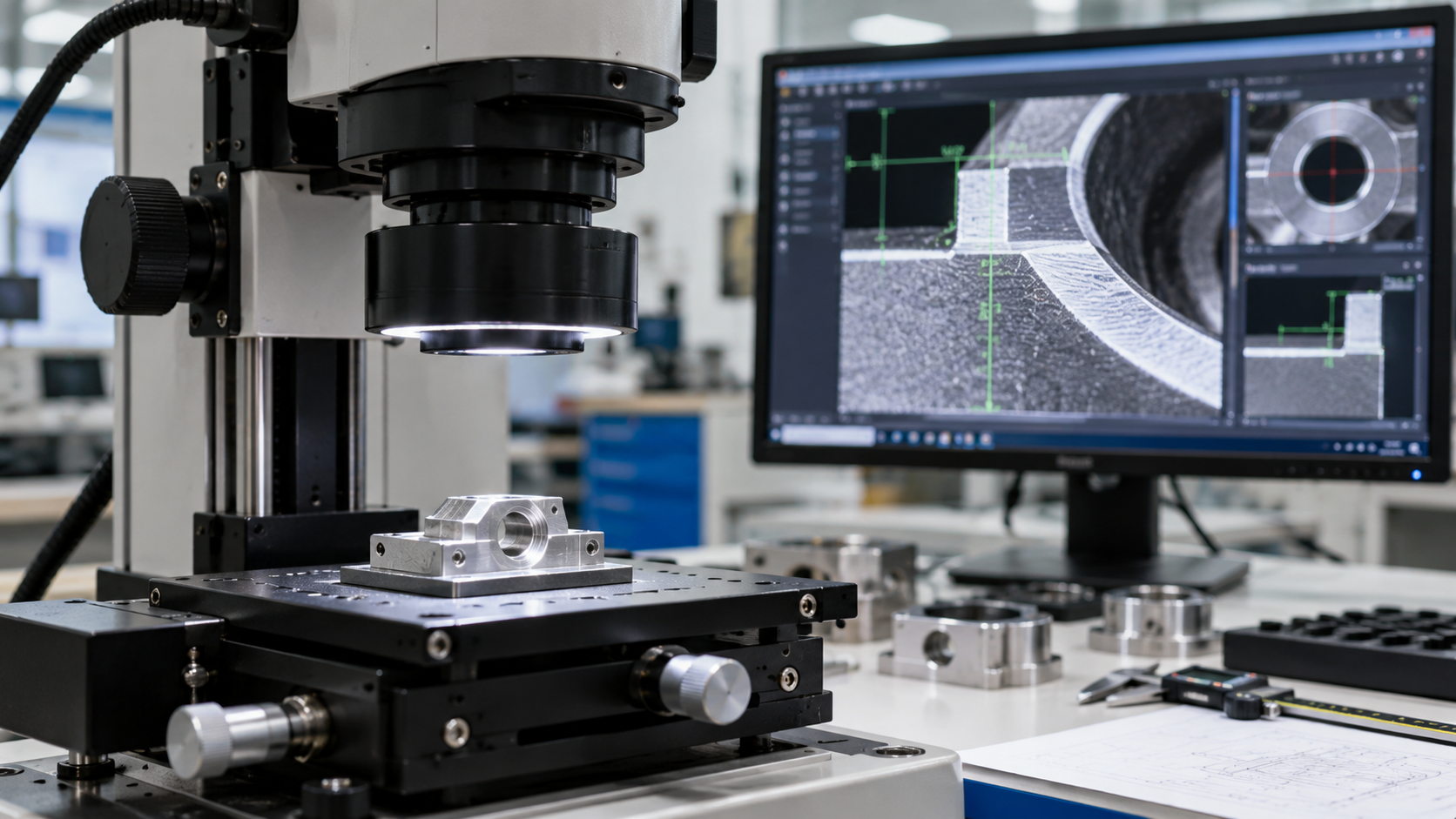
Optical measurement uses light and imaging systems to evaluate the dimensions, shape, position, or surface characteristics of an object. Depending on the application, these systems may include digital microscopes, machine vision cameras, laser-based instruments, or specialized optical sensors.
Unlike traditional contact measurement methods, optical techniques can inspect certain objects without physically touching them. This is especially useful when dealing with delicate components, small features, soft materials, or products that could be damaged by direct contact.
However, the reliability of an optical measurement depends on more than the instrument itself. Lighting conditions, camera resolution, lens characteristics, calibration, and image processing all influence the information captured.
Consider a manufacturing facility inspecting a metal component with a narrow groove. If the groove is poorly illuminated, its edges may be difficult to distinguish from the surrounding surface. The resulting image could make the feature appear wider or narrower than it actually is.
A clear image provides a better starting point for analysis, but it does not automatically guarantee an accurate measurement. The complete measurement setup must be appropriate for the task.
Understanding Digital Image Formats in Technical Workflows
Digital images are stored in different formats, each with specific characteristics. Understanding these differences can help engineers, technicians, and quality control teams manage inspection images more effectively.
JPG: Efficient storage for photographic images
JPG is widely used because it can significantly reduce file sizes while retaining acceptable visual quality for many applications.
It is particularly useful for general inspection photographs, equipment documentation, maintenance records, and visual reports. Smaller files are easier to email, upload, and store, especially when a project involves hundreds or thousands of images.
The main limitation is that JPG uses lossy compression. Some image information is discarded during compression, and repeated editing and saving can introduce additional degradation.
For routine documentation, this may not be a concern. For detailed image analysis, however, compression artifacts could affect the appearance of fine edges or small surface features.
PNG: Useful for graphics and lossless storage
PNG uses lossless compression, meaning that it preserves the pixel values of the image supplied to the encoder. It is often suitable for diagrams, screenshots, annotated inspection images, and graphics containing sharp boundaries.
This makes it useful when technical documents include labels, measurement markings, or visual explanations that need to remain clear.
PNG also supports transparency, which can be helpful when placing diagrams or technical overlays against different backgrounds.
There is an important distinction, though: converting a compressed JPG into PNG does not restore information that was already lost. The new file preserves the existing pixels without introducing further lossy compression through the PNG encoding process, but the original limitations remain.
For this reason, the choice of image format should be based on the requirements of the measurement process rather than file extension alone.
Maintaining Measurement Accuracy During Image Processing
Image processing can improve visibility and help automated systems identify relevant features. However, processing must be handled carefully when images are used for quantitative measurements.
Operations such as sharpening, smoothing, resizing, and contrast adjustment can change the appearance of boundaries. In some cases, these changes may influence edge detection or other algorithms used to calculate dimensions.
For example, a technician measuring the diameter of a small circular component from a microscope image may use software to identify the circle’s boundary. If the image has been resized or heavily sharpened, the detected edge could differ from the edge identified in the original image.
To maintain a reliable workflow, consider the following practices:
- Keep original image files: Preserve unmodified captures so that processed versions can be compared with the source.
- Document processing steps: Record relevant adjustments, including resizing, filtering, or contrast changes.
- Use consistent settings: Apply the same validated processing approach when comparing similar components.
- Avoid unnecessary compression: Do not repeatedly save measurement images using settings that discard image information.
- Verify results independently: Where accuracy is important, compare image-based measurements with a suitable reference or calibrated instrument.
These measures help make image analysis more transparent and repeatable.
The Importance of Calibration and Scale
A digital image contains pixels, not direct physical measurements. To determine the actual size of an object, a measurement system must establish the relationship between pixels and physical units.
For example, suppose a calibrated imaging system determines that 100 pixels correspond to 1 millimeter. A feature spanning 250 pixels would then represent 2.5 millimeters, assuming the calibration applies correctly to that measurement.
In practice, the relationship may depend on magnification, lens distortion, working distance, camera alignment, and the position of the feature within the image.
Calibration should therefore be performed using an appropriate reference standard and maintained according to the system’s requirements.
If an image is resized after calibration, the original pixel-to-distance relationship may no longer apply. The scale information must be adjusted correctly or the system must be recalibrated.
This is one reason why measurement images should be handled differently from ordinary photographs intended only for presentation.
Accurate measurement becomes especially important when inspecting very small components, where even minor differences in dimensions can affect the final result. Understanding the physical scale of these features provides useful context before examining them through optical instruments. For practical examples, this guide to real-world objects that measure around 2mm shows how small dimensions relate to everyday materials and precision hardware.
Improving Inspection Reports With Clear Visual Evidence
Technical measurements are more useful when their results can be communicated clearly. Inspection reports often need to explain not only whether a component meets specifications but also how a conclusion was reached.
Well-prepared images can help readers understand the findings without requiring them to interpret raw measurement data alone.
A useful inspection report might include:
- An overview photograph showing the inspected component.
- A close-up of the relevant feature or defect.
- An annotated image identifying the measured area.
- The measurement result, units, and applicable tolerance.
- Information about the instrument or method used.
For example, a report concerning a machined component might include a close-up of a surface defect alongside the measured defect dimensions and the permitted manufacturing tolerance.
Annotations should remain distinct from the original measurement data. Keeping an unannotated source image allows other reviewers to examine the evidence independently.
It is also helpful to use consistent naming conventions. Identifying images by component number, inspection date, and test sequence makes it easier to trace results back to the relevant measurement session.
Choosing an Efficient Image Management Process
As inspection workloads grow, image management can become a significant part of the job. Large collections of files are difficult to navigate when naming conventions, formats, and storage practices vary between team members.
A standardized process helps prevent confusion.
Start by defining which formats are accepted by the measurement software and which are appropriate for reports or presentations. Capture and retain original images whenever the measurement process requires them. Create separate working copies for annotation, sharing, or publication.
Next, establish a clear folder structure and consistent file naming rules. For projects involving multiple operators, document the procedure so that everyone follows the same approach.
Finally, make sure that important files are backed up and that the original calibration information remains associated with the relevant measurement records.
These steps may seem administrative, but they support traceability and reduce the risk of using the wrong image during an investigation or quality review.
Conclusion
Reliable optical measurement depends on a combination of suitable instruments, careful calibration, sound image processing, and well-managed technical records. Digital image formats play a supporting role in this process, influencing how visual information is stored, shared, and incorporated into reports.
By preserving original files, selecting appropriate formats, documenting processing steps, and maintaining consistent calibration practices, measurement professionals can build workflows that are easier to verify and reproduce. The result is clearer technical communication and greater confidence in the information used to guide engineering and quality decisions.