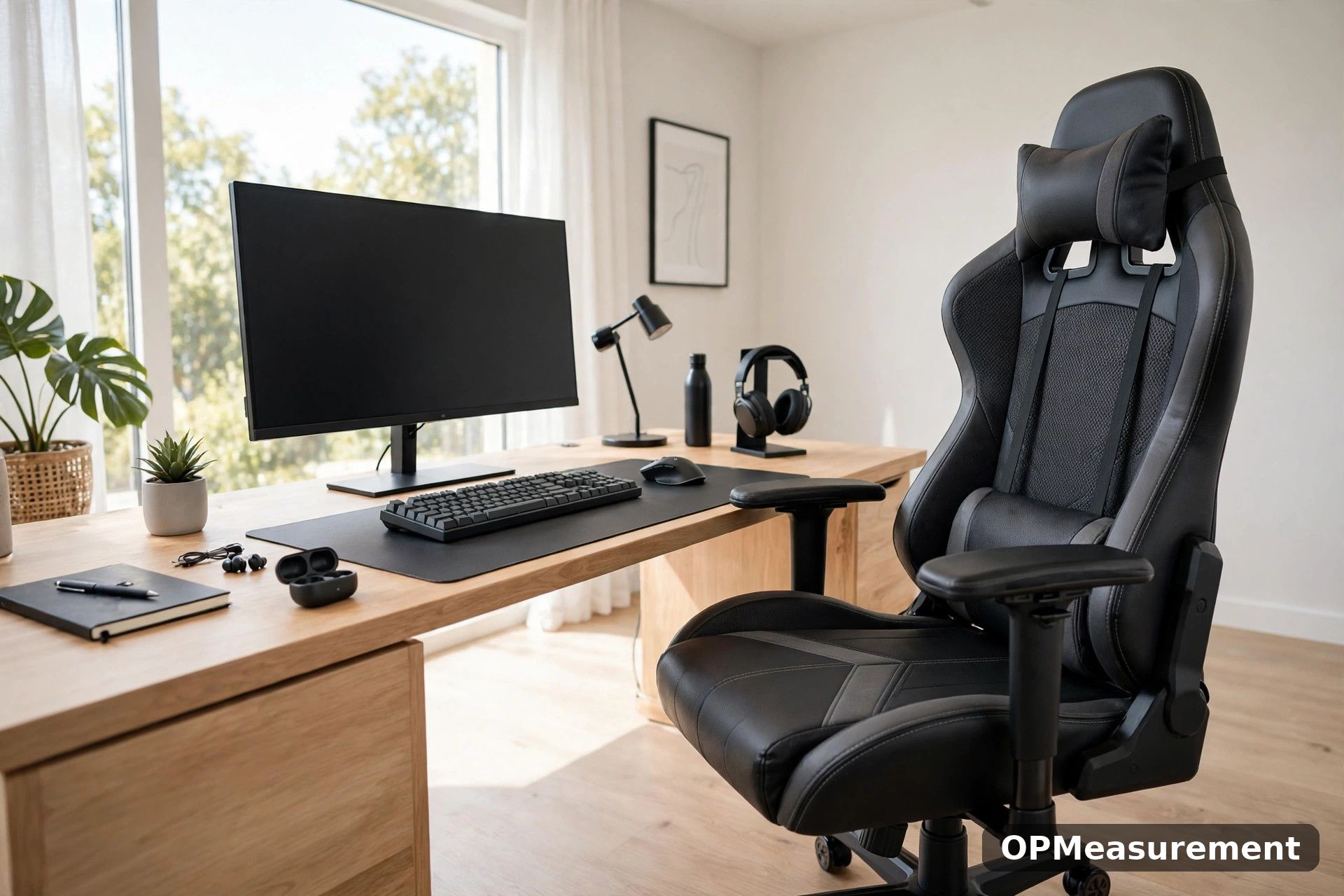
The best gaming chairs are not the ones with the loudest colours or the longest feature list. They are the ones sized to your body, adjusted to your desk and still comfortable in hour three, not just minute three.
This guide explains how to choose using measurements rather than marketing: seat width and depth, backrest height, lumbar support, armrests, materials and build quality. Each factor is simple to check before you buy.
You will also learn how gaming chairs differ from office chairs, which specifications actually matter, and which extras you can safely ignore. A tape measure and ten minutes will answer most of the questions.
Start With Your Body, Not the Brand
Measure your height, weight, hip width and the distance from the floor to the underside of your desk before you shortlist anything. Chair dimensions vary widely between models, and a chair built for a taller frame can leave a shorter user perched with dangling feet.
Sit in your current chair and note where it fails: pressure under your thighs, a backrest that ends mid-shoulder, armrests that shrug your shoulders upward. Those failures tell you exactly which measurements to prioritise this time.
General posture targets are consistent across official ergonomic workstation guidance: feet flat on the floor, knees level with or slightly below hips, and elbows near a right angle.
Seat Width, Depth and Height
Seat width should leave a little room either side of your hips without letting you slump sideways. Check the internal width between armrests or bolsters, not the widest outside measurement, which flatters narrow seats.
Seat depth matters just as much: you want roughly two to four fingers of space between the seat edge and the back of your knees. A seat that is too deep pushes you into a slouch to reach the backrest.
Seat height should let your feet rest flat with your desk at elbow height. If the chair sits too high even at its lowest setting, a footrest is a workaround, not a fix.
Backrest Height, Recline and Tilt
A backrest should support your shoulder blades, and taller users need a taller back. Many gaming chairs use high backs with headrest pillows, which suit reclined play but can push a shorter user’s head forward if the pillow sits too high.
Recline range is useful for breaks and controller play, less so for desk work. More important day to day is a tilt mechanism with tension control, so the chair rocks gently instead of locking you upright.
Lumbar and Neck Support
Your lower back curves inward, and a good chair fills that curve instead of flattening it. Built-in adjustable lumbar support is the most convenient option, because you can change its height and depth as your posture tires.
Loose lumbar pillows are common on gaming chairs and can work well, but they slide around and add bulk. Check whether the pillow is strapped, magnetic or free-floating, and whether its thickness suits your frame.
Neck pillows follow the same logic: supportive when positioned at the curve of your neck, annoying when they push your head forward. Removable is better than fixed, so you can experiment.
Armrests: Fixed, 2D, 3D and 4D
Armrests should hold your forearms level with the desk so your shoulders stay down. Fixed armrests only work if their height happens to match your body and desk, which is a gamble for most people.
The labels describe how many ways the armrest adjusts: height on basic models, with pricier ones adding rotation, forward-and-back slide and width. Definitions vary slightly between brands, so check the product diagram rather than trusting the label alone.
Materials: Fabric, PU Leather and Mesh
Fabric breathes best and suits warm rooms and long sessions, though it can stain and hold odours. It is the practical choice if you play in a room that heats up in summer.
PU leather wipes clean and looks sharp, but it can feel sticky in heat and cheaper grades may crack or peel after a few years. Mesh runs coolest and appears on hybrid designs, with a firmer, less cushioned feel.
Whichever you choose, check the foam underneath as well. Dense moulded foam holds its shape longer than loose cut foam, and a seat that bottoms out against the frame will ache regardless of the cover material.
Frame, Base, Gas Lift and Casters
A steel frame, a metal five-star base and a quality gas lift are the parts that decide how long the chair lasts. Manufacturers state a maximum user weight for every model; stay comfortably under it rather than at the limit.
Casters should match your floor. Soft polyurethane wheels roll quietly and protect hard floors, while harder casters suit carpet; the wrong type either scratches boards or drags and strains the base.
Before ordering, work through a chair measurement checklist with your own numbers, including the chair’s total width against your desk gap and doorway.
Gaming Chair or Office Chair?
The racing-style bucket seat is a look, not an ergonomic requirement. Side bolsters hold you centred during intense sessions but can squeeze broader frames, and they limit how much you can shift position.
A good office chair often offers better lumbar adjustment and mesh cooling at the same money, while a good gaming chair usually reclines further and sometimes adds a footrest. Choose by fit and features, not by category label.
What to Check in the Showroom or Trial Period
Sit in the chair for at least fifteen minutes if you can, and mimic your real posture: keyboard hands, controller hands, one break-time recline. Discomfort that appears in minute two will be pain by hour two.
Buying online, favour a trial period with free returns and keep the box until you are sure. Check the warranty length on the frame and gas lift specifically, since those are the expensive failures.
Finally, read the assembly and care instructions in the manufacturer’s setup and care guide before you build, and keep the stated weight limit somewhere you will see it again.
Frequently Asked Questions
What size gaming chair should I buy for my height?
Match the chair’s stated height range and seat dimensions to your body rather than choosing by name. Your feet should rest flat, the seat depth should leave a small gap behind your knees, and the backrest should reach your shoulders.
Are gaming chairs bad for your back?
Not inherently. A chair supports your back when its lumbar support meets your lower back and you sit with feet flat and your screen at eye level. Any chair, however expensive, fails if it is the wrong size or never adjusted.
How long should a gaming chair last?
It depends on build quality and daily hours of use. Steel frames and quality gas lifts generally outlast plastic bases and thin foam, so compare warranties on those parts rather than expecting a fixed lifespan.
Conclusion
Choosing well comes down to fit: measure your body and your desk, match the seat and backrest to those numbers, and insist on lumbar and armrest adjustment you will actually use.
Ignore the paint job until the measurements pass. A chair that fits quietly disappears under you, which is exactly what you want during a long session.